New Study circles: lock in with friends

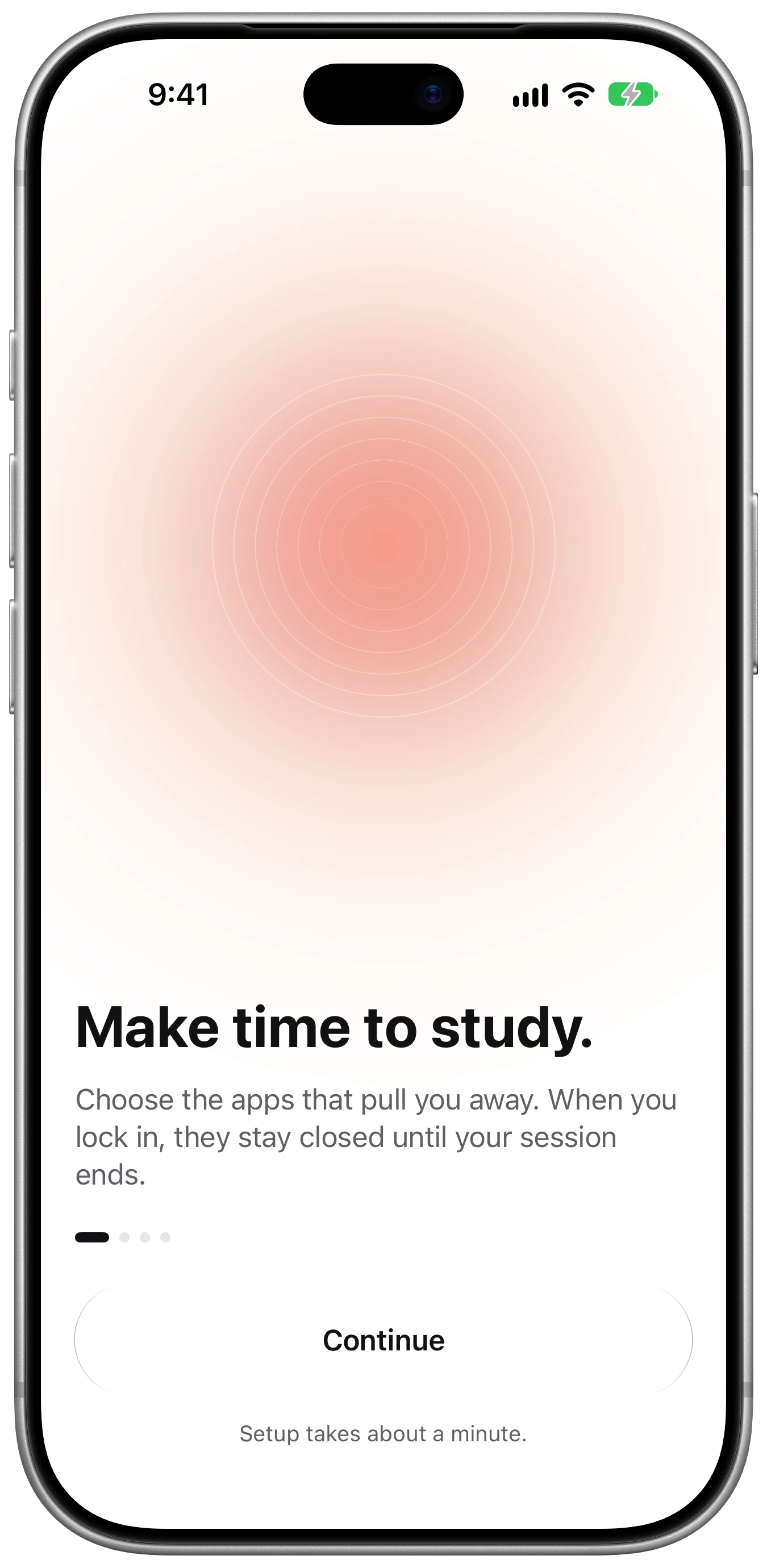
Make time to study.

Choose the apps that pull you away. When you lock in, they stay closed until your session ends.

Download on theApp Store For iPhone · iOS 26 or later
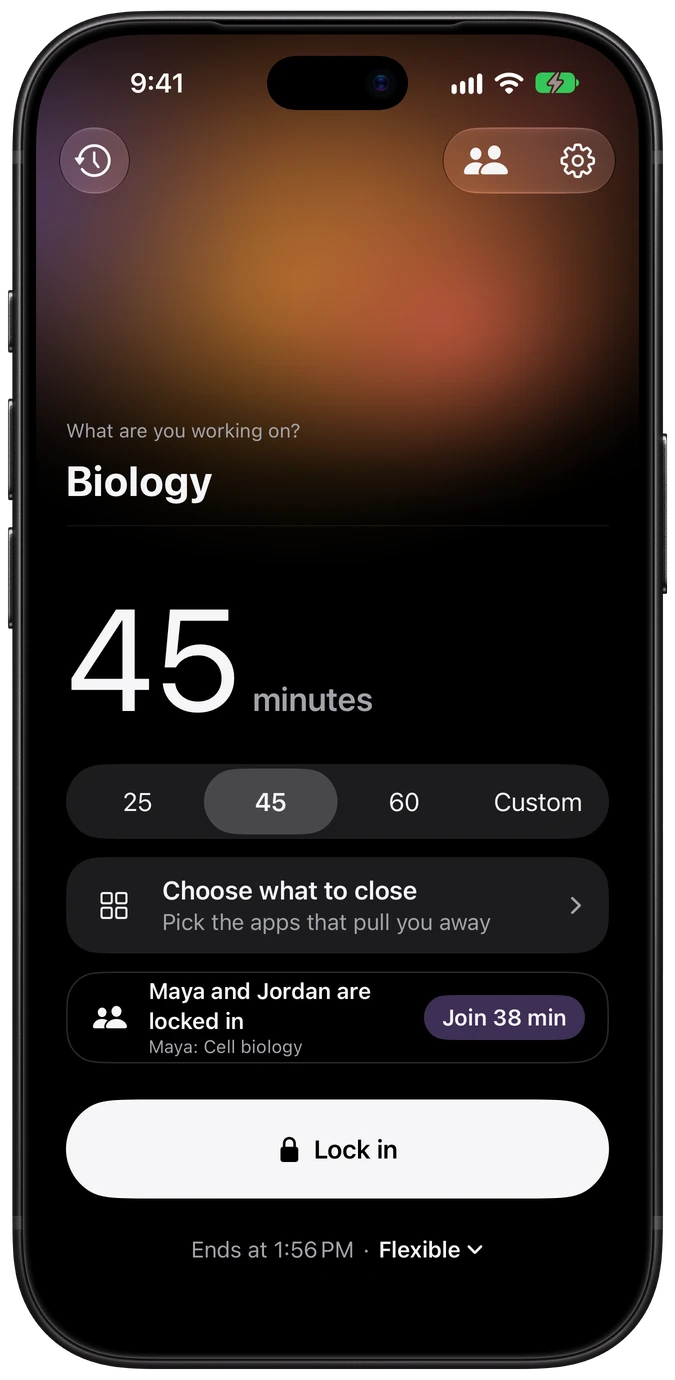
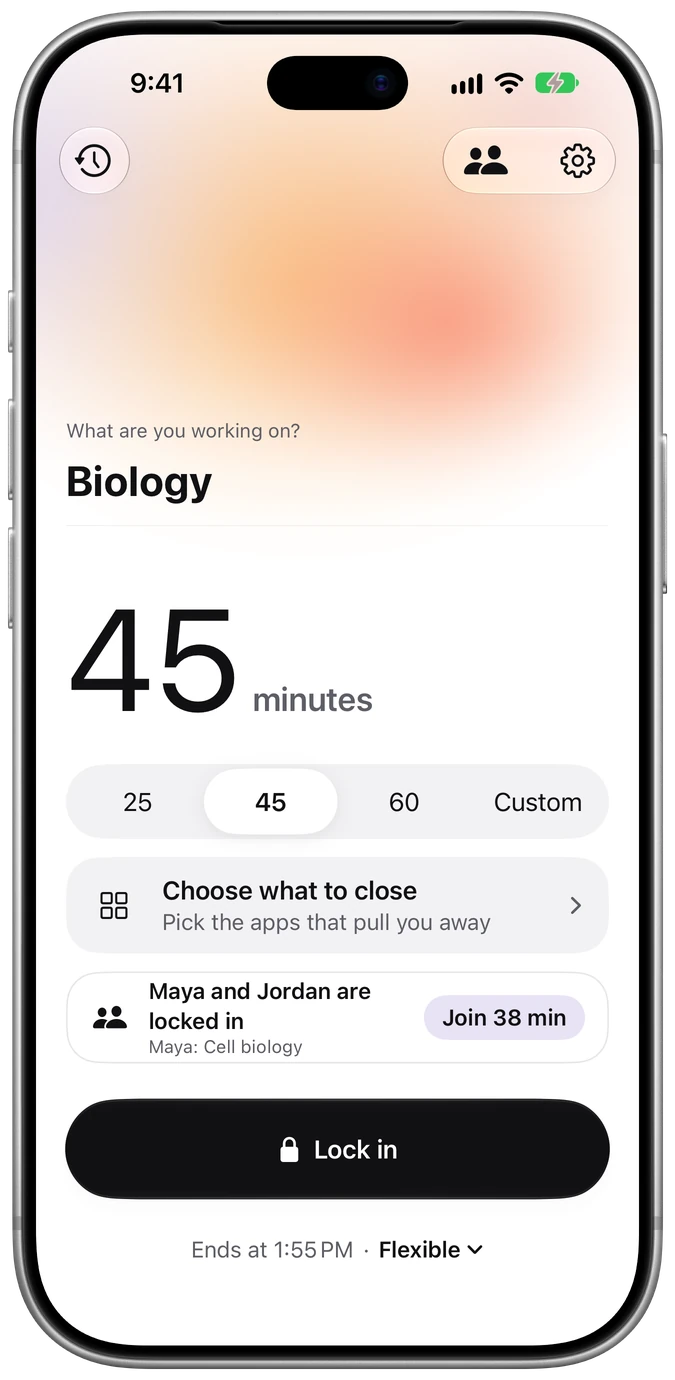
Lockdown's Ready screen on iPhone: working on Biology for 45 minutes, with Maya and Jordan locked in and a Join button
  • Built on Apple Screen Time
  • No account, no tracking
  • Live Activity & Dynamic Island
  • 15 minutes to 4 hours
How it works

Three taps to focus.

Lockdown remembers everything from last time, so most days you open it and tap Lock in.

  1. Say what you're working on

    Biology, an essay outline, a problem set. Naming it turns a vague intention into a plan.

  2. Pick how long

    Choose a preset or go custom, anywhere from 15 minutes to 4 hours.

  3. Lock in

    The apps you chose stay closed until the session ends. Then they unlock on their own, right on time.

New Study circles

Lock in
together.

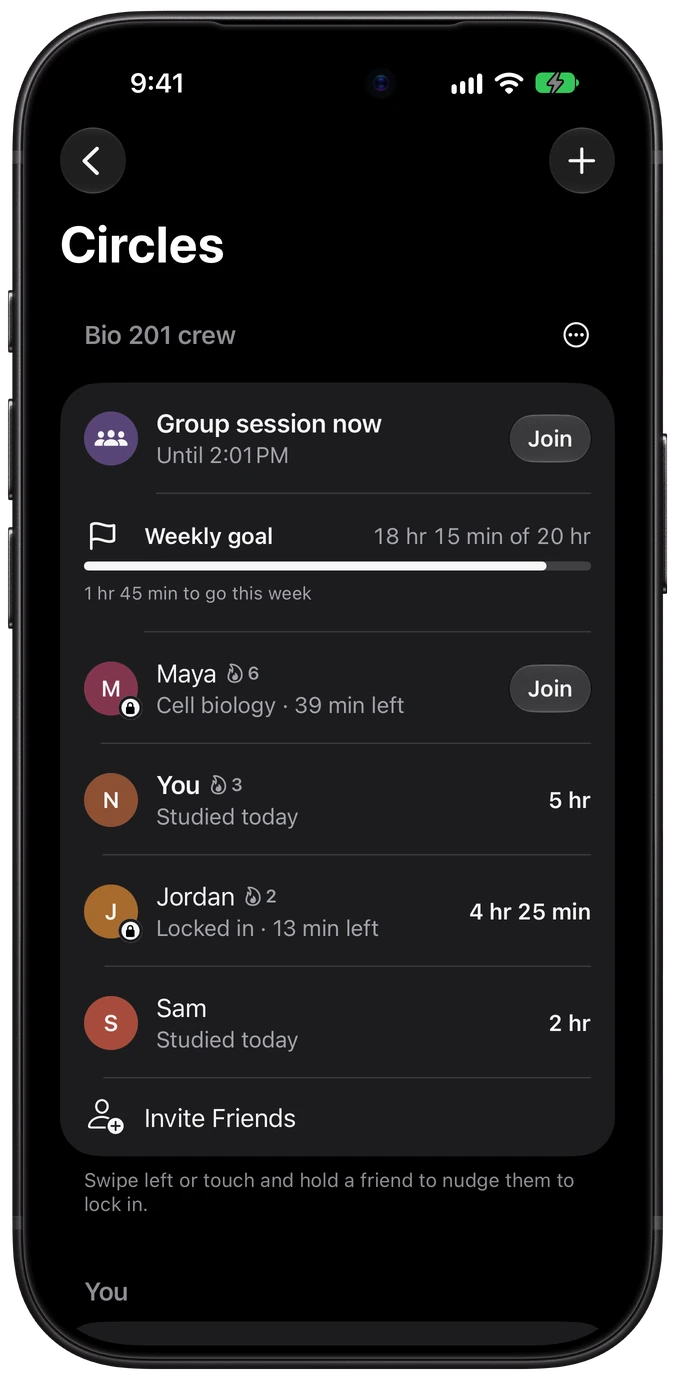
Make a circle for your study group, or just one friend. See who's locked in right now, join their session with one tap, and finish together.

Maya locked inCell biology · 39 min left
  • Free for everyone, with no account to make
  • Invite anyone with a link, straight into the group chat
  • Your own blocked apps and Strict setting still apply
A study session with the line: Maya and Jordan are locked in too Lockdown Circles screen: Bio 201 crew with a group session now, a weekly goal of 18 hours 15 minutes of 20, and Maya and Jordan locked in

See who's locked in

Who's studying right now and until when, plus everyone's time this week, ranked, with streaks.

Join in one tap

Join a friend from Circles, the Ready screen, a notification or the widget. Your session ends when theirs does.

Nudge a friend

Swipe on a friend who isn't studying to send a gentle "lock in?". Their notification has a Lock In button.

One weekly goal

Set a goal for the whole circle, from 5 to 50 hours, and watch it fill as everyone studies.

Group sessions

Pick a weekly time and everyone gets a reminder with a Lock In button, so the whole group starts together.

Circles widget

Live countdowns for friends on your Home Screen and Lock Screen, with a Join button for each.

Joining circles, making one, and joining any group session are free. Lockdown Pro adds setting up group sessions and making more circles.

Features

Quiet by design.

No streaks to protect, no badges to chase. Just a calm screen, a clear timer and the time you set aside.

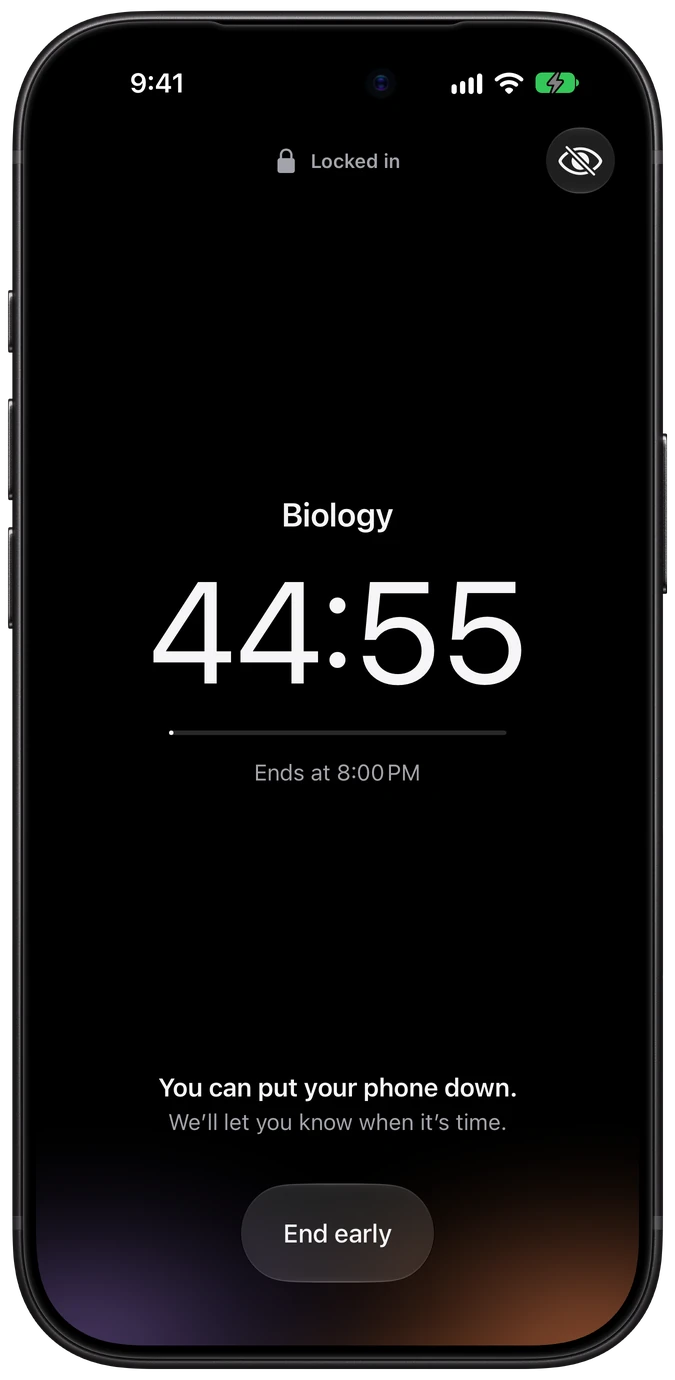
A Lockdown study session in progress: Biology, 44 minutes 35 seconds remaining, with Maya and Jordan locked in too
During a session

You can put your phone down.

A large, steady countdown and nothing else. Prefer not to watch the clock? Hide the countdown and Lockdown lets you know when it's time.

  • Live Activity on the Lock Screen and Dynamic Island
  • Apps unlock on time, even if Lockdown is closed
  • See which friends are locked in with you
  • A notification when the session ends
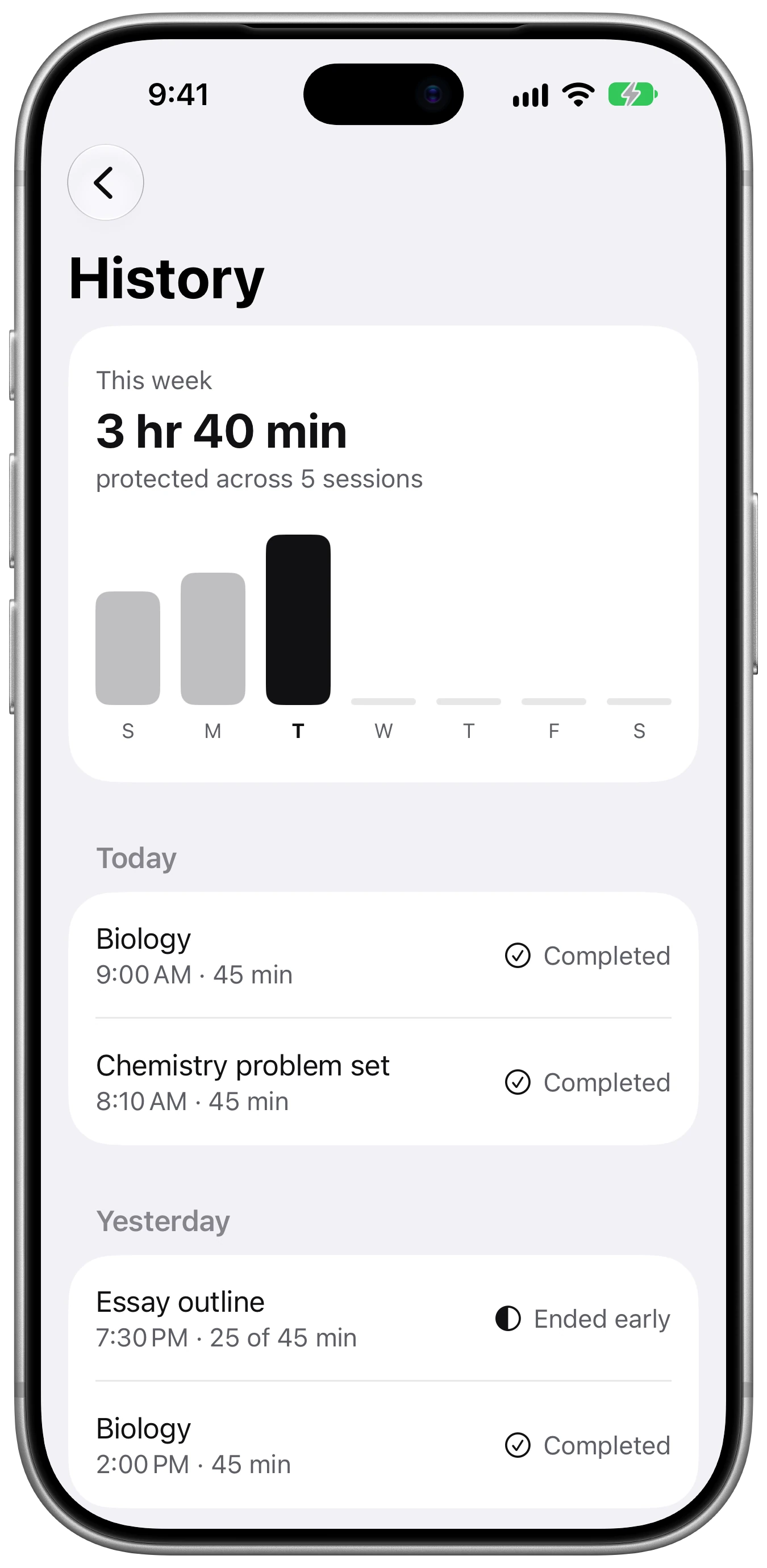
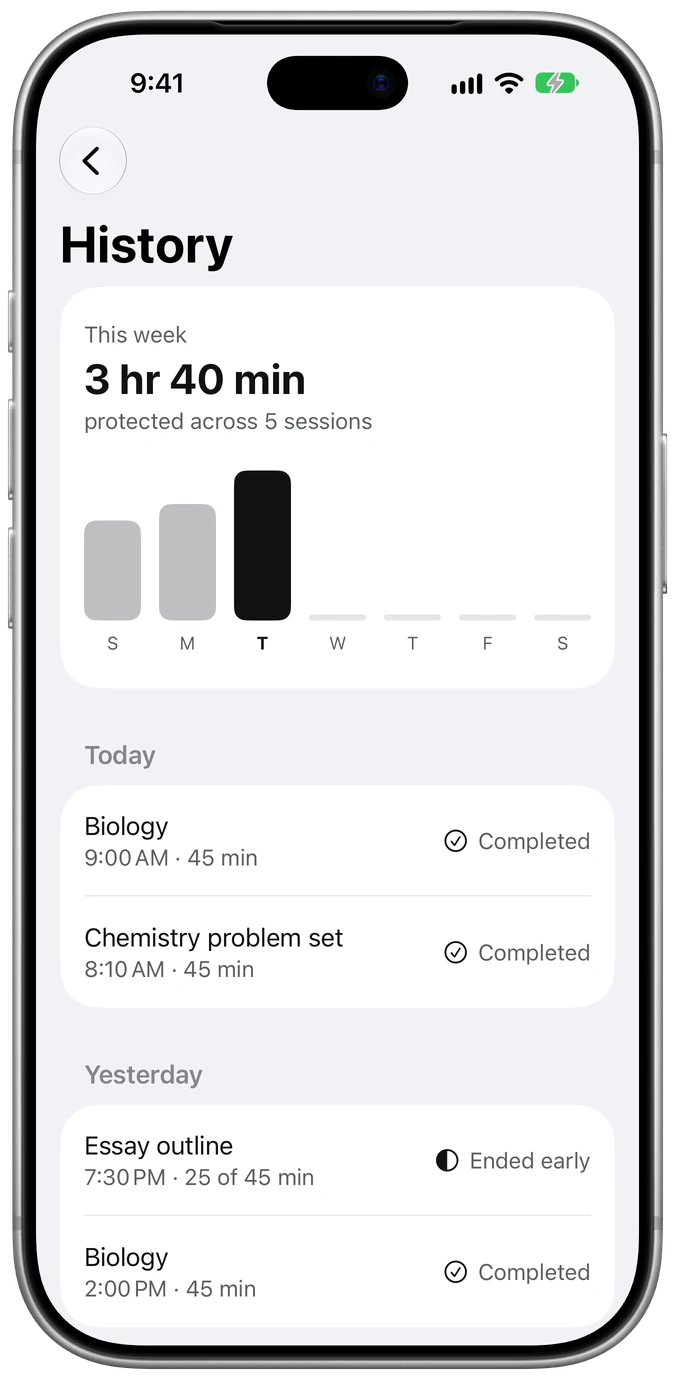
Lockdown History screen showing 3 hours 40 minutes protected across 5 sessions this week
History

See the time you protected.

A simple weekly view of every session, what it was for, and how it went. Completed or ended early, always said in words, never just color.

3 hr 40 minprotected across 5 sessions this week
Lockdown welcome screen: Make time to study. Setup takes about a minute.
Setup

Ready in about a minute.

Allow Screen Time access, pick the apps that pull you away, and you're done. Change them any time from the Ready screen.

"You set this time aside for Biology."What you'll see if you open a blocked app mid-session

Choose what to close

Pick individual apps, whole categories or websites with Apple's own picker.

Strict sessions

Hide the End button when you need extra resolve. A promise to yourself, not a lock.

Live Activity

Your countdown on the Lock Screen and in the Dynamic Island, drawn by iOS itself.

Keep going

Finished and still in flow? Extend with one tap when a session ends.

Light and dark

A warm field of light by day, a deep horizon at night. Follows your iPhone.

Made for everyone

Dynamic Type, VoiceOver, Reduce Motion, Reduce Transparency and Increase Contrast.

Screens

Day and night.

One light per screen. When you lock in, the light sinks to the horizon and stays still.

Privacy

Your choices stay yours.

Apple keeps the apps you pick private, even from Lockdown. Your history stays on your iPhone, and circles share only what you choose, through your own iCloud.

No account

No sign-up, no email, no password. Open it and start.

No tracking

No analytics, no ads, no third-party SDKs. Lockdown has no server; circles sync through Apple's iCloud.

On your iPhone

Preferences, block lists and history never leave the device. Delete them any time in Settings.

Read the Privacy Policy

FAQ

Questions, answered.

How does Lockdown block apps on iPhone?

Lockdown uses Apple's Screen Time frameworks (Family Controls, Managed Settings and Device Activity). When you lock in, the apps you picked show a Lockdown screen instead of opening. At the end time, iOS lifts the block on its own, even if Lockdown isn't running.

Can Lockdown see which apps I use?

No. Apple only gives Lockdown opaque tokens for the apps you choose. Lockdown can show their names and icons on your screen but never learns which apps they are. Your session history stays on your iPhone.

How long can a study session be?

Pick 25, 45 or 60 minutes, or set a custom length anywhere from 15 minutes to 4 hours. 15 minutes is the shortest interval iOS allows for a scheduled block.

What is a Strict session?

A Strict session hides the End button so you're not tempted to quit. It's a promise to yourself, not a lock: turning off Lockdown in Settings › Screen Time always ends a session.

What happens if I open a blocked app?

You'll see a calm reminder, for example "You set this time aside for Biology. Instagram is available at 4:45 PM.", with buttons to close it or open Lockdown.

How do study circles work?

Make a circle and share its invite link in your group chat. Everyone in it can see who's locked in and until when, join a friend's session so you both finish together, nudge someone who isn't studying, and work toward one weekly goal. A friend is simply a circle of two.

What can friends in my circle see?

The name you choose, whether you're in a session and when it ends, your time studied this week and your streak. What you're working on appears only if you turn on "Show what I'm working on".

Friends never see which apps you block, your settings or your session history.

Are study circles free?

Yes. Joining any number of circles, making one, and everything in them is free, including joining a group session someone else set up. Lockdown Pro adds setting up a circle's weekly group session and making more circles.

Do I need an account?

No. There is no sign-up, no Lockdown account and no analytics. Study circles use the iCloud account already on your iPhone, and everything else Lockdown stores lives on your iPhone.

Which iPhones does Lockdown support?

Lockdown runs on iPhone with iOS 26 or later.

Something else? Visit Support.

Lockdown app icon

Lock in.

Your next study session is three taps away.